How to Make a Self Made Sweatshirt: Design It and Order One
Make your own custom sweatshirt or hoodie: design the artwork with AI or your own image, remove the background, place it on a Gildan crewneck and order a single piece. Step by step, with screenshots.
On this page
A self made sweatshirt used to mean fabric paint, iron-on transfers or a screen printing kit, and a result that cracked after a few washes. Today you can design the artwork on your phone, have it printed on a real Gildan sweatshirt with the same direct-to-garment printers shops use, and get a single piece delivered to your door. No minimum order, no leftover stock.
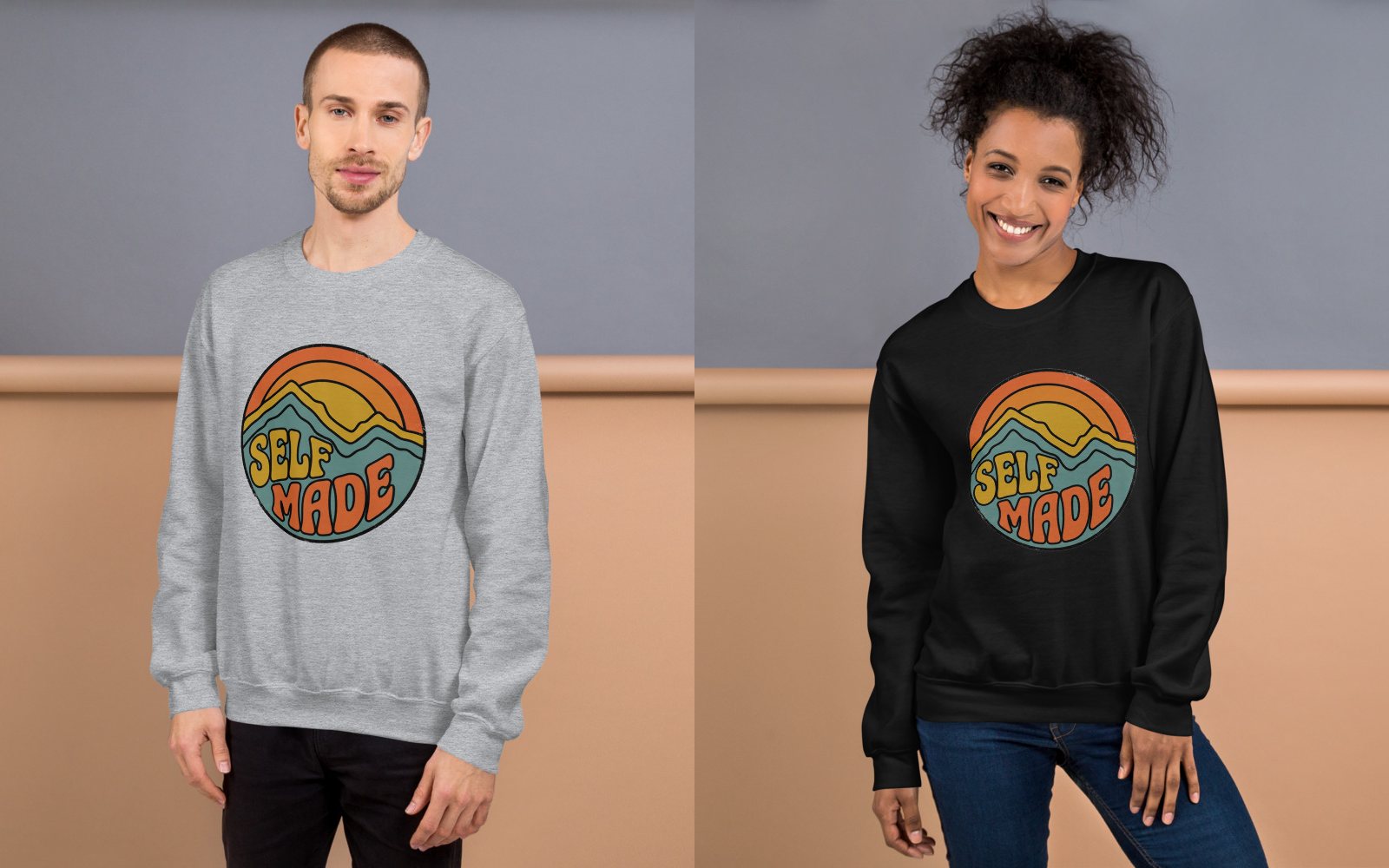
This guide walks through the whole thing with real screenshots: designing the artwork in the SlapMake studio, putting it on a crewneck sweatshirt or a hoodie, and ordering it. The design you see below was made for this article in about two minutes, with one AI image and one free background removal.
What you need
- A phone or a computer with a browser. Everything below was done on a phone; the studio works the same on a laptop.
- A free account. Designing is free and needs no account. You sign in when you use the AI or order, and every new account starts with 5 credits, enough to try a few AI images.
- A card for the sweatshirt and its shipping. Products are priced in US dollars, shown on every product and in the studio, and paid by card at checkout. See the pricing page.
Crewneck sweatshirt or hoodie?
Both are classic Gildan blanks in the same soft 50/50 cotton and polyester fleece, printed on the front. The crewneck is the cleaner canvas: there is no pouch pocket under the print, and its print area is taller, so a badge or a block of text sits higher on the chest. The hoodie is warmer and costs a little more.
| Crewneck sweatshirt | Hoodie | |
|---|---|---|
| Blank | Gildan 18000 | Gildan 18500 |
| Front print area | 1800 × 2400 px | 2100 × 2100 px |
| Sizes | S to 5XL | S to 5XL |
| Colors | 10 | 10 |
| Price, S to XL | about $23.50 | about $27.50 |
| Extras | Ribbed collar, cuffs and hem | Lined hood, pouch pocket |
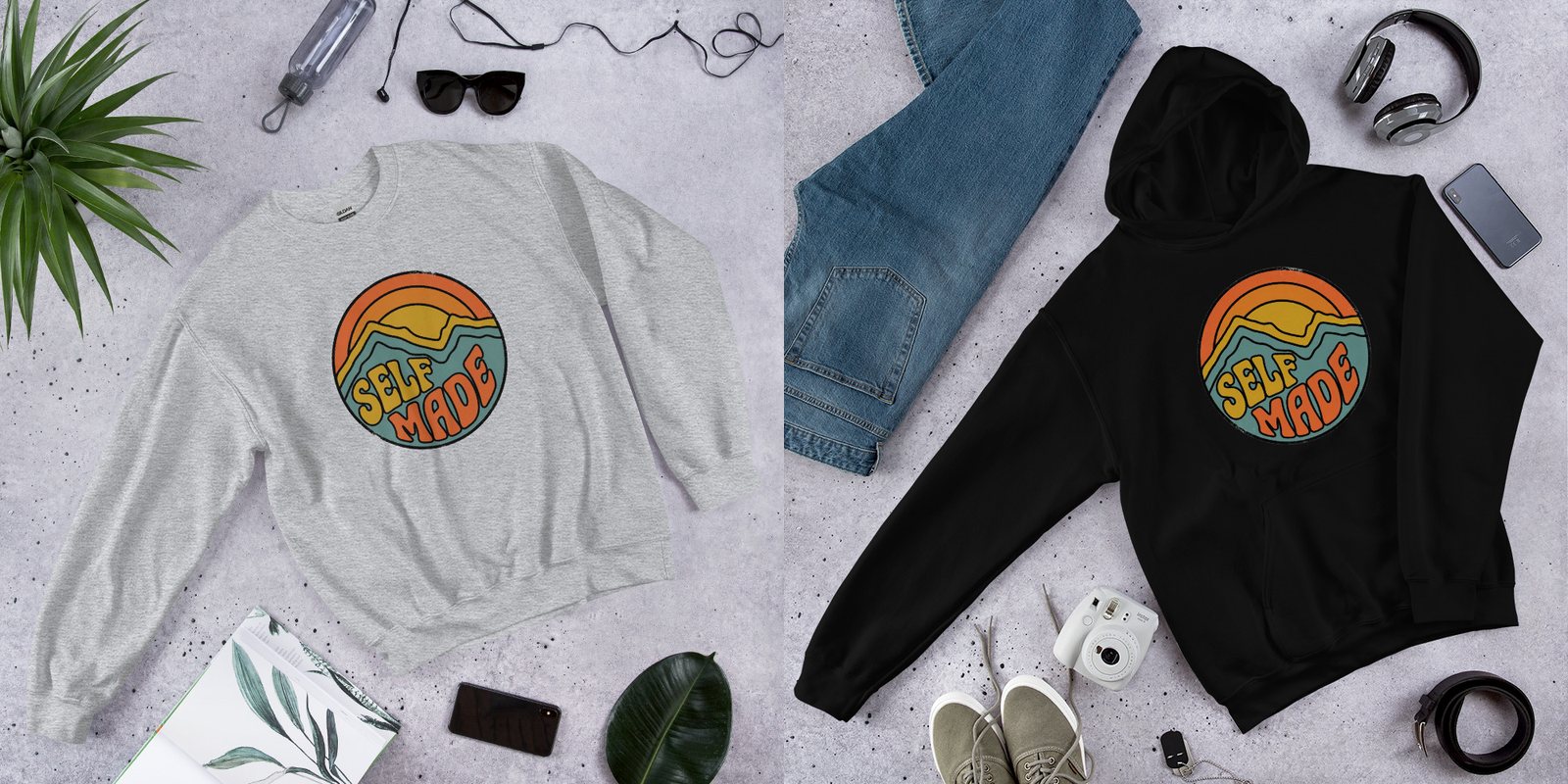
You do not have to decide now. The design is made once, and on the order screen you can switch between the crewneck sweatshirt, the hoodie and a T-shirt with one tap to see which you like best.
Step 1: Open the studio and make the canvas for a sweatshirt
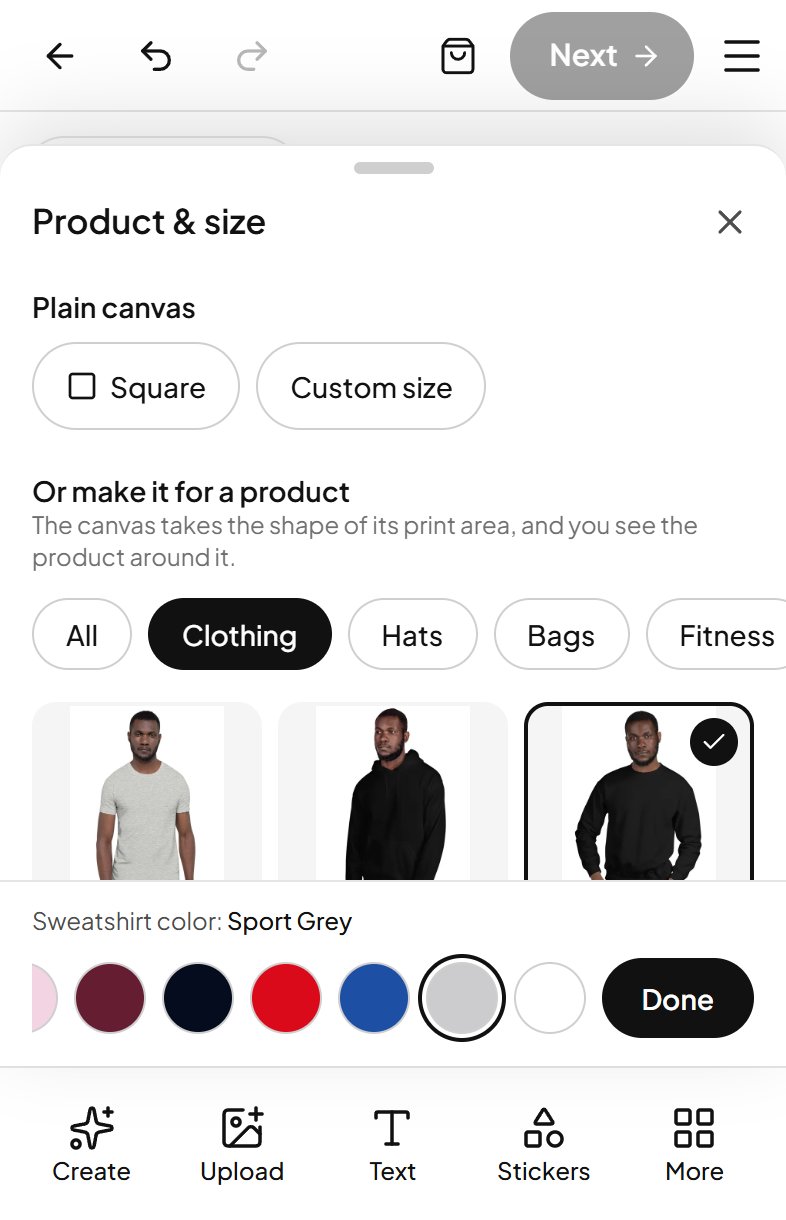
Open the studio. It starts on a canvas made for a T-shirt. Tap that button at the top left of the canvas, then under Clothing choose Sweatshirt. The canvas takes the shape of the sweatshirt's print area at full print resolution, so the print comes out sharp, and you see the sweatshirt around it while you design. Pick the color you have in mind at the bottom of the same sheet.
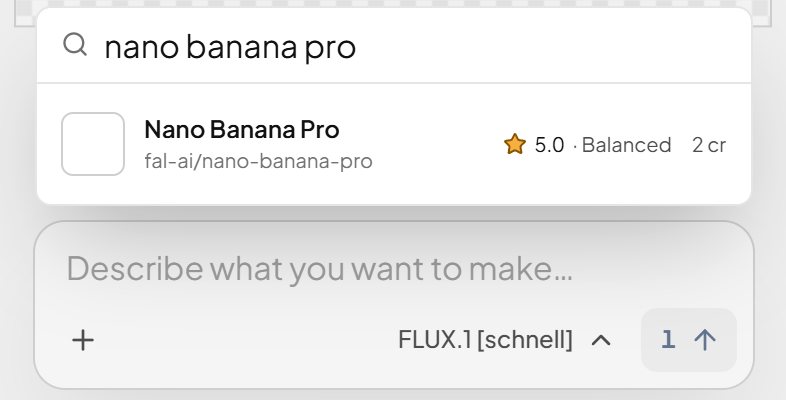
Next, choose an AI model. Tap Create at the bottom, then the model name under the description, and search. Each model shows its speed and its price in credits; most cost 1 or 2. For artwork with lettering, pick one tagged for typography. This guide uses Nano Banana Pro (2 credits), which is very good at clean words.
Step 2: Describe your design and let the AI draw it
Type what you want in Create. This is the prompt behind the design in this article:
A few habits make prompts work for clothing:
- Name a print style. "Flat screen print look", "sticker style" or "vintage badge" give bold shapes that print well. Photographic detail tends to look muddy on fleece.
- Give three or four colors. A short palette looks deliberate on fabric and keeps the colors close to what you see on screen.
- Ask for thick outlines. They hold the design together on any sweatshirt color, light or dark.
- End with "plain white background". A clean background is easy to remove in the next step.
- Put the words in capitals. Short words in capitals, like SELF MADE, come out spelled right far more often.
Press the arrow (it shows the price, here 2 credits) and the image appears on the canvas in a few seconds. Not happy with it? Change a word or two and run it again; each try costs the same small amount.
Step 3: Remove the background
Tap the image to select it, then tap Cut out in the bar at the bottom. It runs on your own device and is free. The first time, it downloads a small model, which takes a few seconds.
This matters more on a sweatshirt than anywhere else. Without it, the white background is printed too and you get a white square on a gray or black sweatshirt. With it, only the badge is printed and the fabric shows around it.
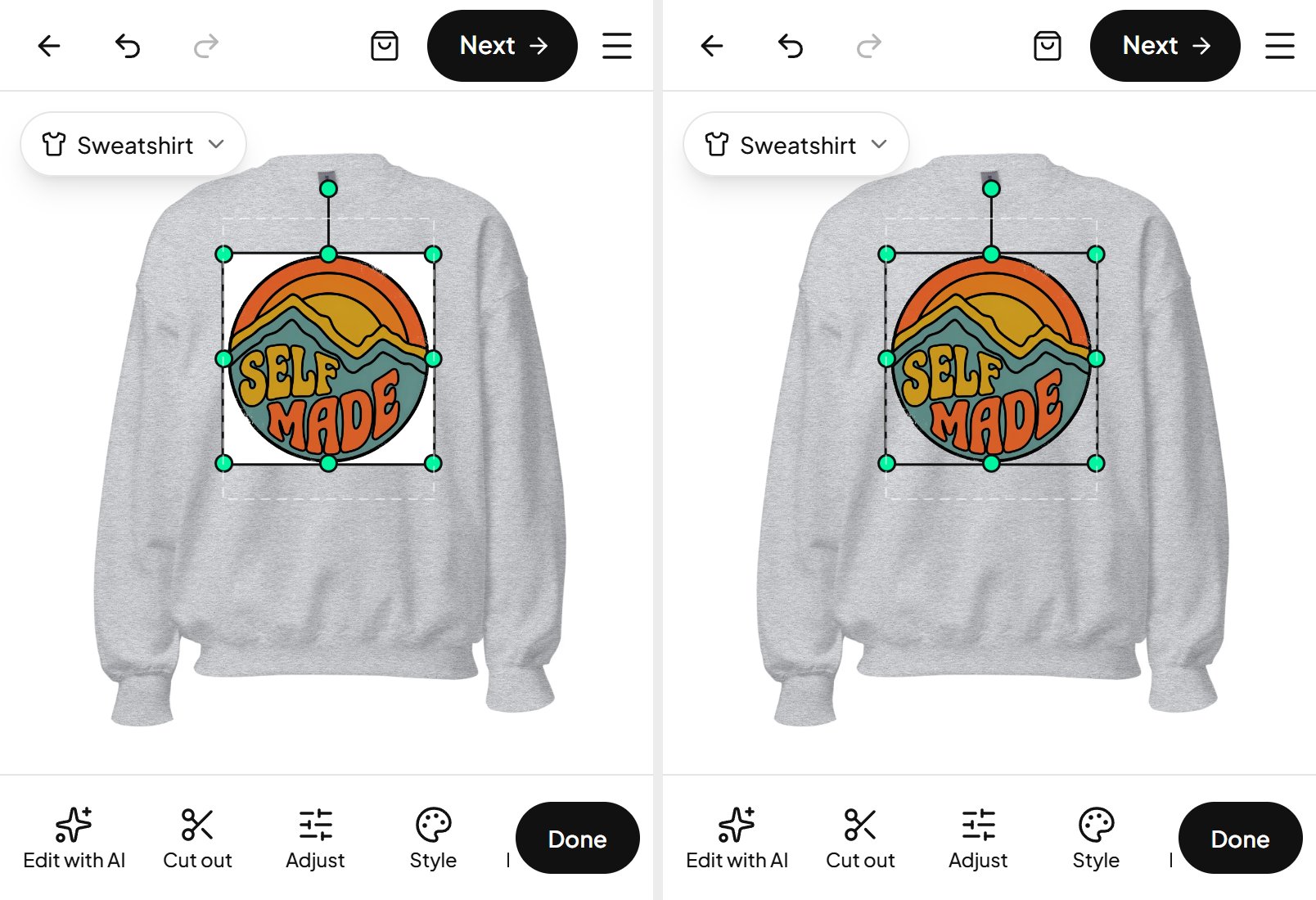
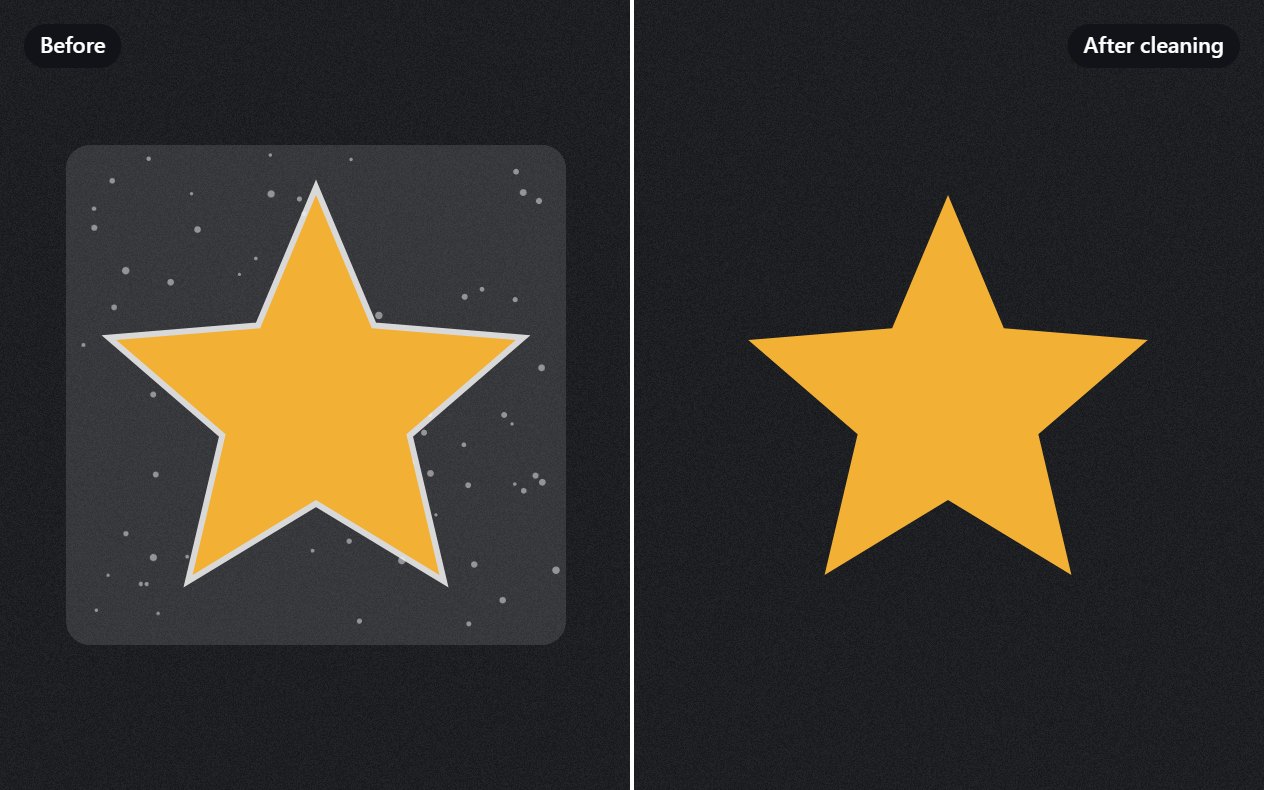
If you see a thin white edge around the design after removing the background, our guide on fixing white halos on dark hoodies shows how to clean it up. On this design there was none.
Step 4: Put it on the sweatshirt
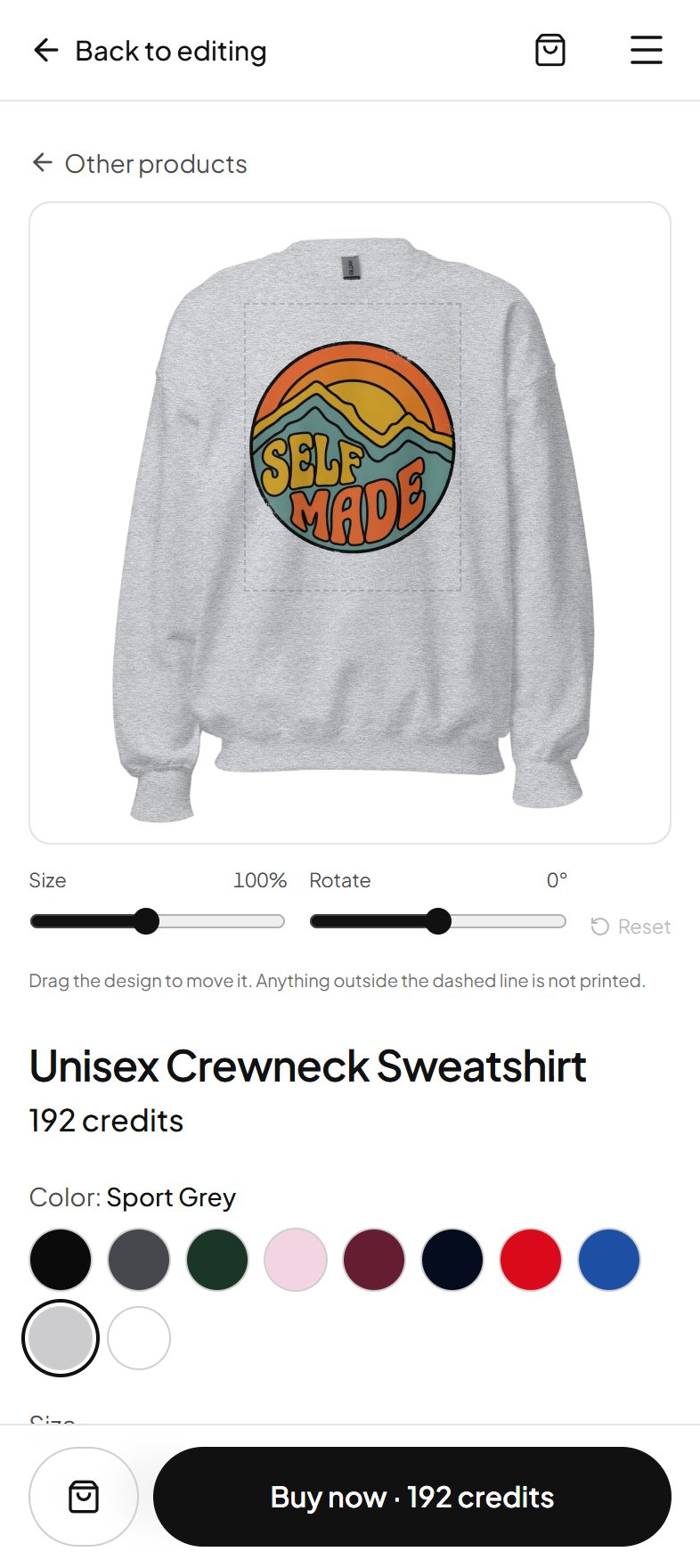
Tap Next at the top right. Because the canvas is made for the sweatshirt, the order screen opens straight on it, with your design on the garment. To compare, tap the Sweatshirt card at the top: your design is shown on every product at once, and Hoodie is right beside Sweatshirt under Clothing.
- 1Place itDrag the design to move it, and use the Size and Rotate sliders to adjust it. The dashed line is the print area: anything outside it is not printed.
- 2Fit or fillWhole picture keeps every part of the artwork inside the print area. Fill the area makes it as large as possible and may trim the edges. For a badge like this, Whole picture is right.
- 3Choose a colorTap a color to see the design on it. Ten colors are on offer, from Black and Navy to Sport Grey, Maroon and Light Pink.
- 4Choose a sizeS to 5XL. The price on the Buy now button updates with the size. Both blanks have a classic unisex fit; pick your usual size, or one up for a relaxed look.
- 5See the real thingTap See a real photo of it for a photo of the garment with your design on it, made by our print partner from your actual print file.
Step 5: Order your self made sweatshirt
Tap Buy now (or Add to bag if you want more than one thing). Before anything else, the item is checked as in stock with our print partner, live, so you never pay for something that cannot be made. Then checkout opens:
- 1AddressYour name, email for delivery updates, the address and a phone number for the carrier. To send it as a gift, enter the other person’s address.
- 2ShippingThe options and their prices for your address. For one sweatshirt to New York it was about $11, arriving 4 to 6 business days after printing.
- 3Review and payThe total in dollars: the item, shipping and any taxes for your address. Then you pay by card, right there. Nothing is charged until you press Pay.
Your sweatshirt is printed for your order only, so it cannot be returned for a change of mind, but a damaged or misprinted item is reprinted. The order page in your account shows its progress and the tracking number once the carrier has it.
Tips for a sweatshirt you will actually wear
- Match the design to the fabric. Bright, warm colors pop on black, navy and gray. On white or light pink, keep strong dark outlines so the edges do not fade into the fabric.
- Mind heather colors. Sport Grey and Dark Heather have a flecked texture that softens a print slightly, which suits a vintage look like this one.
- Keep text big. Words smaller than a thumb are hard to read from across a room.
- Expect slightly calmer colors. Fabric cannot show the glow of a phone screen. Our guide to why AI art prints duller than your screen explains what to change.
- Make a matching set. The design stays in your account, so a hoodie for winter, a T-shirt for summer or a mug with the same artwork is a few taps away.
That is the whole process: one canvas, one prompt, one tap to remove the background, and a sweatshirt that nobody else has. Open the studio and make yours.
Questions people ask
Can I order just one custom sweatshirt?
Yes. There is no minimum order. Each sweatshirt is printed when you order it, so one piece is a normal order.
How much does a self made sweatshirt cost?
The Unisex Crewneck Sweatshirt is about $23.50 in sizes S to XL and a little more in larger sizes. The hoodie is about $27.50. Shipping and any taxes are added at checkout and depend on the address; the total is shown before you pay.
Do I need design skills or software?
No. You can describe the design in a sentence and let the AI draw it, or upload a photo or drawing. Background removal, text and placement all happen in the browser, on a phone or a computer.
How is the design printed on the sweatshirt?
With direct-to-garment printing: the ink goes into the fabric, so there is no plastic transfer that peels or cracks. Wash it inside out in cold water for the longest life.
How long does it take to arrive?
Each sweatshirt is printed for your order, then shipped. The checkout shows the carrier options and their times for your address before you pay; for the United States, standard delivery was 4 to 6 business days after printing.
Can I make a hoodie instead of a sweatshirt?
Yes. On the order screen, tap the Sweatshirt card at the top and choose Hoodie instead of Sweatshirt. The same design moves over, and you can compare both before ordering one.